 PocketPress
Photo compressor for Android
Compress photos.
Keep your originals.
Smaller images for upload forms, messages and everyday sharing. Choose a target file size, compare the result and save a new copy.
On-device photo processing · No account required · Contains ads
Size and quality vary with your photo and settings.
Small files. Big possibilities.
A little more control over every photo.
Choose a size in KB
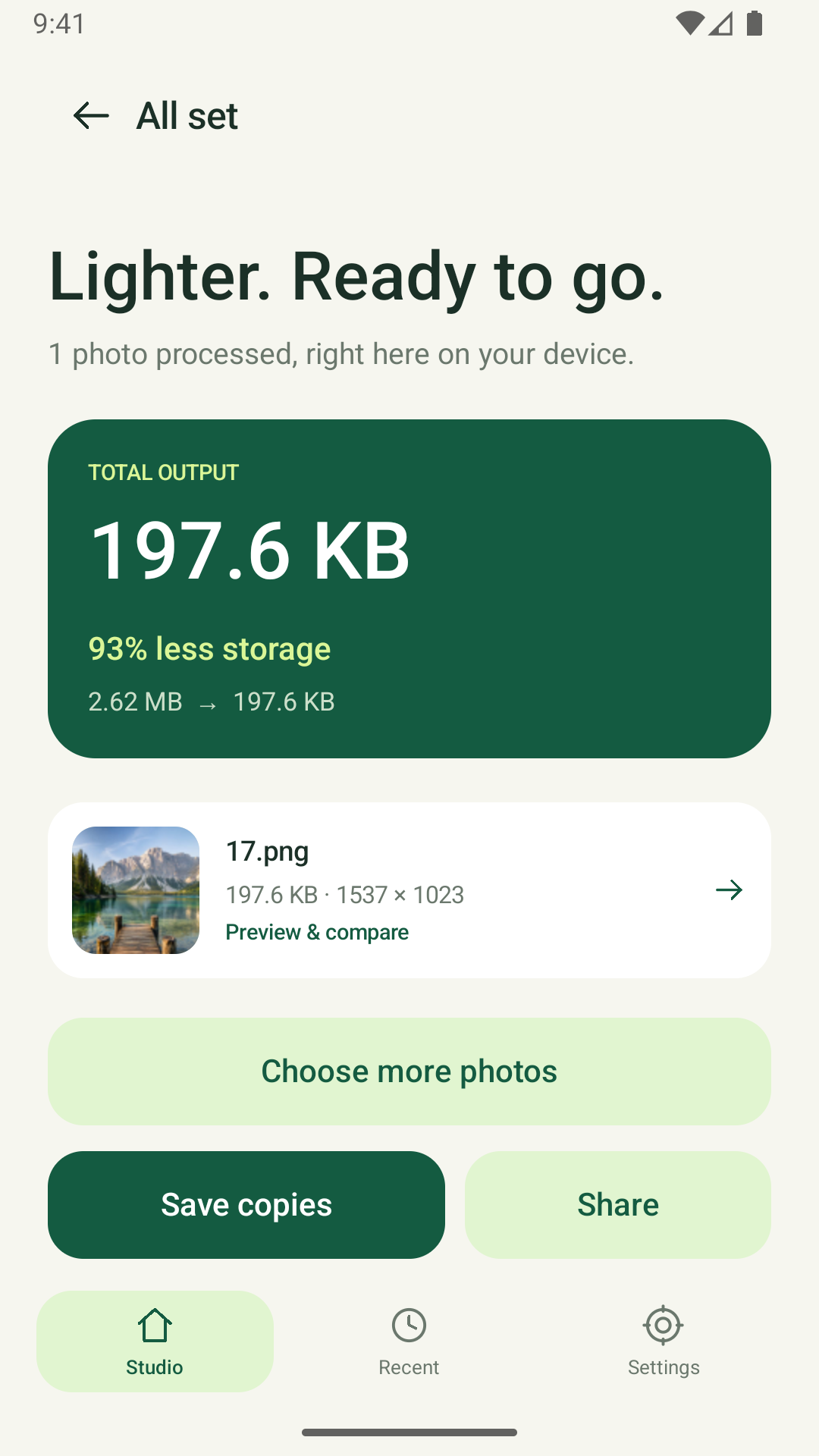
Aim for a file size such as 100 KB or 200 KB. PocketPress adjusts compression and, when needed, image dimensions to work toward your target.
Resize a whole batch
Select up to 20 photos. Adjust the longest edge or image quality and export smaller JPEG or WebP copies.
Compare before saving
Check the original and compressed photo, their dimensions and file sizes. Keep the copy that works for your upload.
From photo to smaller copy
Pick. Preview. Share.
Your source photos stay unchanged. Exported copies have corrected orientation and EXIF metadata removed.
Pick your photos
Select images using Android’s photo or document picker.
Set a target and compare
Choose a target file size or resize settings. Check the actual output size and visible detail.
Save or share the new copies
Save to your device or choose a receiving app through Android’s share menu.
Good to know
PocketPress questions, answered.
Can I compress a photo to exactly 100 KB or 200 KB?
You can set a target size. The result depends on the image and your settings, so always check the exported file. Very small limits can reduce detail. Compression is not lossless.
Does photo compression work offline?
Yes, processing of local photos happens on your Android device. PocketPress does not upload selected photos to a developer server. A cloud-stored photo may need to download first. Advertising and privacy-message services use an internet connection.
Which image format should I choose?
PocketPress exports JPEG and WebP. Choose the format accepted by your destination. If a form specifically asks for JPG or JPEG, export JPEG and check any dimension requirements as well as its size limit.
Will my original photos be replaced?
No. PocketPress saves new copies. You can clear recent outputs inside the app; copies already saved to your gallery or shared elsewhere must be deleted in those locations.
Do I need to watch an ad to use the tools?
No. A small banner appears on the results screen. Photo tools do not require a rewarded ad, and this version has no full-screen ads or ad-gated features.
Published by Corzfree
Need a hand?
Email free4564567@gmail.com with your phone model, Android version and a description of the issue.
照片更輕巧,原圖保留
PocketPress 提供指定 KB 大小、調整尺寸、前後比較、儲存與分享。照片在裝置內處理,不上傳至開發者伺服器;廣告及隱私同意服務可能使用網路。